כרטיס eSIM לנסיעות באירופה

$21.99 USD $25.99
נְתוּנִים
דקות מקומיות

ESIM באירופה מספק לך:

  • נפח נתונים: 1 ג'יגה-בייט, 2 ג'יגה-בייט, 3 ג'יגה-בייט, 5 ג'יגה-בייט, 10 ג'יגה-בייט, 25 ג'יגה-בייט, 50 ג'יגה-בייט עד נתונים ללא הגבלה
  • תקופת תוקף: 5 ימים, 7 ימים, 14 ימים עד 30 ימים
  • סוג SIM: eSIM
  • מהירות נתונים: 4G / 5G / LTE
  • שיתוף אינטרנט / נקודה חמה: מותר בתוכניות נתונים מוגבלות, לא מותר בתוכניות נתונים ללא הגבלה
  • מדינות מכוסות: אנא עיין ברשימת המדינות למטה
  • רשת סלולרית: Vodafone, Three, Telenor, SFR, Swisscom, Telia, A1 וכו'
  • סוג תוכנית סלולר: שולם מראש
  • שיחות נכנסות: שיחות נכנסות חינם (לא זמין בתוכניות נתונים בלבד)
  • מספר נייד: מספר נייד בבריטניה (+44) (אין מספר נייד בתוכניות נתונים בלבד)
  • זמן שיחה חינם: בהתאם לתוכנית שנבחרה
  • הפעלת eSIM: אוטומטית לאחר ההתקנה
  • תהליך התקנה: אוטומטי על ידי סריקת קוד QR או על ידי הזנה ידנית של כתובת SMDP יחד עם קוד ההפעלה
  • מסירת eSIM: מיידי, כפי שהוא נשלח בדוא"ל
  • דרישת תיעוד: אין צורך בתיעוד
  • תאימות מכשירים: כל הסמארטפונים התואמים ל-eSIM
  • מדיניות שימוש הוגן: תוכנית ה-eSIM שלנו מספקת נתונים ללא הגבלה לאורך כל תקופת הזמן המוסכמת. עם זאת, ספק הרשת רשאי לממש את זכותו ליישם מדיניות שימוש הוגן כדי להבטיח ביצועי רשת אופטימליים עבור כל המשתמשים.

אתה זקוק רק למכשיר נייד תואם eSIM. כדי לרכוש את ה-eSIM, השלים את העסקה כאן, וקוד QR של eSIM יישלח אליך בדוא"ל באופן מיידי עם הוראות להתקנה בטלפון שלך.

לאחר ההתקנה, תוכל להתחיל להשתמש באופן מיידי בנתונים ב-eSIM במדינת היעד שלך. תוקפו של ה-eSIM יתחיל מיום הפעלת ה-eSIM שלך.

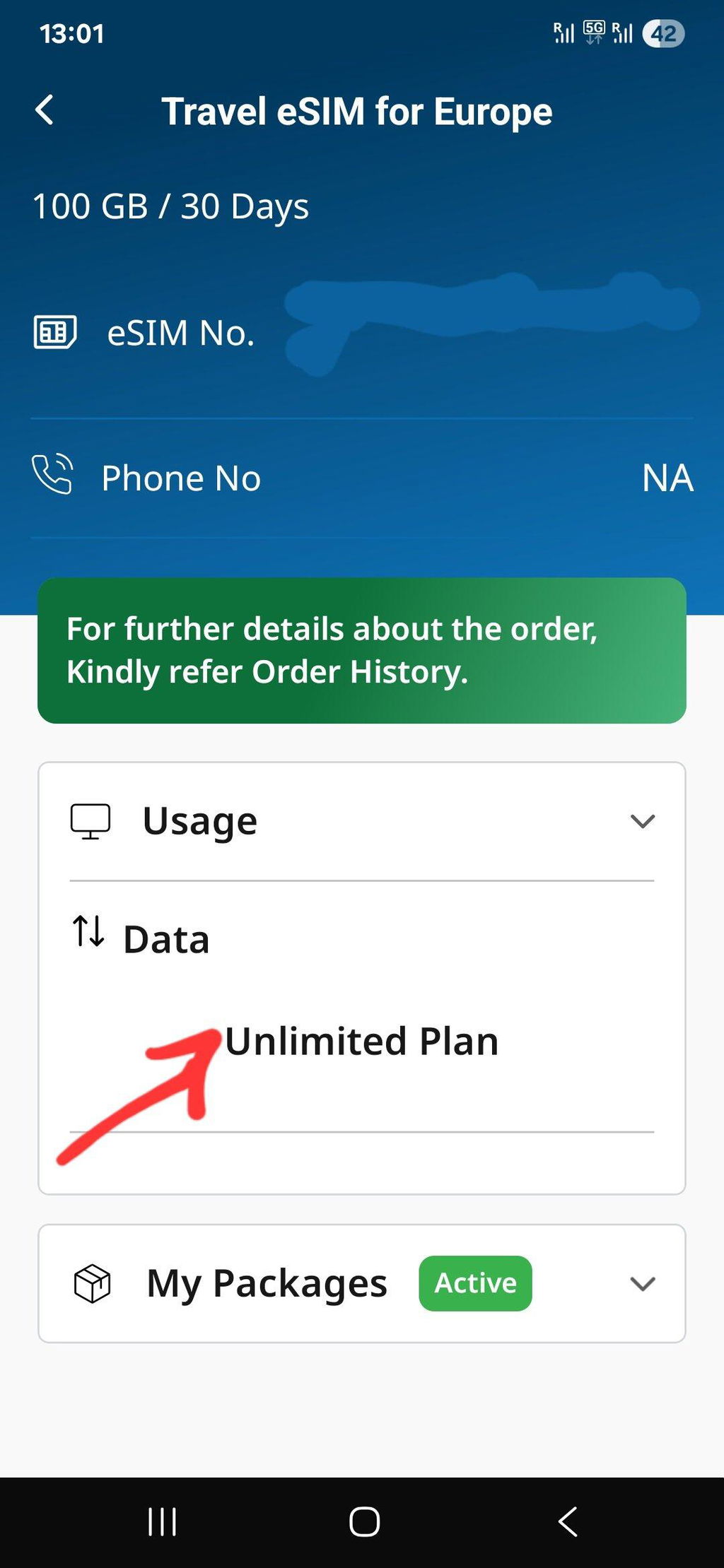
Unlimited Data Plan Speed

Stay connected all day long — get 4 GB of high-speed data every day, then continue browsing unlimited at 1 Mbps. The daily limit refreshes automatically!

Handset Compatibility

Before purchasing, please ensure your phone supports eSIM. 

💡 Tip: Some carrier-locked or region-specific variants may not support eSIM. Please check your phone’s Settings → About → EID before purchase.

Installation Tips

🌐 Easy eSIM Installation Tips

Follow these quick tips to make sure your eSIM activates instantly and works without issues.

✅ Before Installation
Checklist
Use a stable internet connection. Be on Wi-Fi or another mobile network during installation (activation needs live internet).
Confirm device compatibility & unlock status. Your phone must support eSIM and be unlocked.
Keep your QR email handy. Open it on another device or print it for an easy scan.
Note: Once installed, do not delete the eSIM profile. Re-installation may not be possible.
⚙️ During Installation
  • iPhone: Settings → Mobile/CellularAdd eSIMUse QR Code
  • Android (may vary): Settings → Network & InternetSIMsAdd eSIMScan QR
Scan the QR code received on your email and wait 1–2 minutes for setup to complete. Keep the screen open.
Name the line (e.g., “eTravelSim”) so it’s easy to select later.
No app needed Works on arrival Hotspot as per plan
📶 After Installation
Turn ON data for eTravelSim. Set eTravelSim as the default line for mobile data.
Enable Data Roaming. This is required to connect to our partner networks abroad.
Restart once after activation for faster network registration.
Tip: Use only one data line at a time. If you keep your primary SIM active for calls, ensure data stays on eTravelSim.
🛠️ Quick Troubleshooting
  • No Service? Toggle Airplane Mode ON → OFF or restart the phone.
  • Still offline? Confirm Data ON for eTravelSim and Data Roaming ON.
  • Multiple SIMs? Ensure eTravelSim is selected as the Mobile Data line.
  • Installed but deleted? Contact support—reissue may be required before travel.

Need help? Write to support@etravelsim.com with your order number for priority assistance.

List of Countries Covered
  • Albania
  • Austria
  • Belarus
  • Belgium
  • Bulgaria
  • Croatia
  • Czech Republic
  • Denmark
  • Estonia
  • Finland
  • France
  • Germany
  • Greece
  • Hungary
  • Iceland
  • Ireland
  • Italy
  • Latvia
  • Liechtenstein
  • Lithuania
  • Luxembourg
  • Malta
  • Netherlands
  • Norway
  • Portugal
  • Romania
  • Serbia
  • Slovakia
  • Slovenia
  • Spain
  • Sweden
  • Switzerland
  • Turkey
  • United Kingdom
  • Vatican City
- +

ETravelSim vs Other Providers

How we stack up — at a glance.

Feature ETravelSim Provider X Provider Y Provider Z
Switzerland included mixed
UK +44 cellular number VoIP only
4 GB/day full LTE on unlimited varies varies n/a
Hotspot on fixed data limited
Entry price $4.00 $4.50 $19.50 $5.50

How to install כרטיס eSIM לנסיעות באירופה in iPhone ?

Look for Mobile Service

Open your iPhone’s settings and navigate to "Mobile Service" to manage your connections

Go to Add eSIM

Select "Add eSIM" to begin setting up a new eSIM profile

Find QR Code

Retrieve the QR code provided by ETravelSim for activation

Scan QR code

Use your iPhone’s camera to scan the QR code and automatically configure the eSIM

How to Install eSIM in Android phone?

Settings

Open the Settings app and look for "Connections" to manage your network options

Connections

In the "Connections" menu, find and select "SIM Manager."

SIM Manager

Tap on "Add eSIM" to start the eSIM setup process

Add eSIM

Scan the provided QR code to configure and activate your eSIM

Important FAQ

How_does_Travel_eSIM_work

How does כרטיס eSIM לנסיעות באירופה work?

After purchasing an ETravelSim product, customers will receive a unique QR code via email. This code is provided to the registered email ID used during the purchase. The email will also contain detailed instructions on how to install the product. To begin using the product, scan the QR code.

QR code on email

How will I get the QR code for my purchase?

Once you have booked the eSIM, you can expect to receive the QR code to your registered email ID almost instantly. This will come with a guide for installing the QR code, SMDP address, and activation code. Once the QR code is installed, you are good to go.

How_eTravelSim_s_eSIMs_Benefit_Nomads

How ETravelSim's eSIMs Benefit Nomads?

At ETravelSim, we offer a range of eSIM plans tailored to the needs of digital nomads and frequent travelers. Our eSIM solutions provide reliable and affordable connectivity wherever your adventures take you. With easy online activation and flexible plans, staying connected has never been easier.

FAQs for כרטיס eSIM לנסיעות באירופה

What is an eSIM?

An eSIM, or embedded Subscriber Identity Module, is a virtual SIM card integrated into devices like smartphones and smartwatches. Unlike physical SIM cards, eSIMs are programmed remotely, enabling easy network switching and activation without needing physical swaps. They offer flexibility for changing carriers and plans, convenient international travel connectivity, and the management of multiple numbers on one device. While not universally supported, eSIM technology reduces the reliance on physical cards and simplifies the user experience by allowing remote provisioning of cellular services.

איך אני יוצר קשר עם Etravelsim?

התמיכה שלנו זמינה לשירותכם 24/7


לצ'אט מקוון, לחצו על כפתור "צ'אט" למטה

התקשרו/צ'אטו איתנו במספר הוואטסאפ שלנו: 6592361258+

כתבו אימייל לכתובת support@etravelsim.com

איך מפעילים את ה-eSim?

כדי להפעיל את ה-eSim שלך לאחר רכישת eTravelSim, תקבל קוד QR בדוא"ל. תצטרך לסרוק את קוד ה-QR הזה באמצעות מצלמת הטלפון שלך כדי להתקין את ה-eTravelSim במכשיר שלך. לאחר השלמת ההתקנה, ה-eSim שלך אמור להיות מופעל ומוכן לשימוש.

איך אני בודק את היתרה שלי?

כדי לבדוק את היתרה שלך, פשוט לחץ כאן.

או

- עבור למקטע חשבון

- אם אתה לקוח קיים, התחבר או צור חשבון עם אותו כתובת דוא"ל שממנה רכשת את ה-eSim.

- בדף החשבון שלי, תראה רשימה של כל ההזמנות.

- לחץ על כפתור "הצג יתרה" לצד מספר ההזמנה כדי לאחזר את יתרת המספר שלך.

או

אנא שלח דוא"ל לכתובת support@etravelsim.com תוך ציון מספר ההזמנה שלך, וצוות התמיכה יספק לך את הפרטים הנדרשים.

What is the best eSIM for Europe travel in 2026?

The ETravelSim Europe eSIM covers 35 European countries — including the UK and Switzerland — on a single prepaid plan with unlimited data starting at $4. It runs on multi-network infrastructure (multiple partner carriers per country) and activates instantly via QR code, making it suitable for multi-country itineraries that single-country eSIMs can't serve.

איך אני ממלא את התוכנית שלי?

אנו מספקים אפשרויות טעינה ישירות באתר האינטרנט שלנו לנוחיותכם. עם זאת, אם, מכל סיבה שהיא, אפשרויות הטעינה אינן זמינות באתר, אנא אל תהססו לפנות אלינו לקבלת סיוע. פשוט שלחו לנו דוא"ל לכתובת Support@etravelsim.com, וציינו את מספר ההזמנה שלכם, ואנו נטען את חשבונכם בהקדם. צוות תמיכת הלקוחות שלנו מחויב להבטיח קישוריות מתמשכת וישמח לסייע לכם בכל שאלה או דאגה הקשורה לטעינה.

האם עליי להגיש תיעוד כלשהו?

לא, עם זאת, ב-ETravelSim, אנו מתייחסים ברצינות לאבטחת לקוחותינו. כדי להגן על לקוחותינו מפני פעילויות הונאה ולשמור על סביבת קנייה בטוחה, אנו עשויים לבקש אימות זהות נוסף עבור עסקאות שסומנו על ידי שער התשלום שלנו כחשודות או פוטנציאליות להונאה.

אם העסקה שלך מסומנת ככזו, אנו מבקשים ממך לשתף פעולה עם תהליך האימות שלנו. זה עשוי לכלול בקשה להוכחת זהות תקפה, כגון תעודת זהות או דרכון ממשלתית. היו סמוכים ובטוחים שכל המידע האישי יטופל בצורה מאובטחת בהתאם למדיניות הפרטיות שלנו.

אנו מתנצלים על כל אי נוחות שעלולה להיגרם. זהו צעד חיוני להבטחת הבטיחות והשלמות של השירותים שלנו. תודה על ההבנה ושיתוף הפעולה שלך בעניין זה. אם יש לך שאלות או חששות בנוגע לתהליך זה, אנא אל תהסס לפנות לצוות תמיכת הלקוחות שלנו בכתובת support@etravelsim.com.

איך להפעיל את ESIM באייפון?

כדי להפעיל כרטיס eSIM באייפון, בצעו את השלבים הכלליים הבאים. זכרו שהתהליך המדויק עשוי להשתנות מעט בהתאם לספק ולגרסת ה-iOS שלכם. אלו השלבים שבדרך כלל תעשו:

בדיקת תאימות: ודאו שהספק שלכם תומך בהפעלת eSIM ודגם האייפון שלכם תואם לטכנולוגיית eSIM.

השגת קוד QR של eSIM: צרו קשר עם הספק שלכם ובקשו קוד QR להפעלת eSIM או פרטי הפעלה.

התחברות ל-Wi-Fi או לנתונים סלולריים: ודאו שהאייפון שלכם מחובר ל-Wi-Fi או לנתונים סלולריים, מכיוון שתזדקקו לחיבור אינטרנט לתהליך ההפעלה.

גישה להגדרות: פתחו את אפליקציית "הגדרות" באייפון שלכם.

סלולרי (או נייד) > הוסף תוכנית סלולרית: נווטו אל "סלולרי" (או "נייד" באזורים מסוימים) והקישו על "הוסף תוכנית סלולרית".

סרוק את קוד ה-QR: אם קיבלתם קוד QR, השתמשו במצלמה של האייפון שלכם כדי לסרוק את קוד ה-QR שסיפק הספק שלכם. הזינו את המידע הדרוש באופן ידני אם קיבלתם פרטי הפעלה ללא קוד QR.

אישור והפעלה: פעל לפי ההוראות שעל המסך כדי לאשר את הפרטים ולהפעיל את ה-eSIM. ייתכן שתתבקש להפעיל מחדש את האייפון שלך לאחר ההפעלה.

תוכל גם לצפות בסרטון

איך קונים eSIM באירופה?

ניתן לרכוש את כרטיס ה-eSIM eTravelSIM לאירופה אונליין בכל עת, לא משנה היכן אתם נמצאים. פשוט בקרו בדף המוצר שלנו עבור eSIM באירופה, בחרו תוכנית שמתאימה לצרכים שלכם והורידו את ה-eSIM למכשיר שלכם.

Does the unlimited Europe eSIM include the UK?

Yes. The UK is included in the standard Europe eSIM coverage list, alongside 34 other European countries. The same plan also includes Switzerland, which most competitor "EU eSIM" products exclude.

Does the Europe eSIM include Switzerland?

Yes. Switzerland is covered through the Swisscom partner network on the ETravelSim Europe eSIM. This is a notable advantage for travelers heading to Zurich, Geneva, or the Alps, since Switzerland is not an EU member and is excluded by many competing "EU eSIM" plans.

Is the unlimited Europe eSIM really unlimited?

Yes — with a transparent daily speed structure. You get 4 GB per day at full 4G/LTE speed, then unlimited browsing at 1 Mbps for the rest of the day. The 4 GB allowance refreshes every 24 hours, so the data never runs out and there are no overage charges.

What happens after I use 4 GB in a day?

Your speed steps down from full 4G/LTE to a steady 1 Mbps. You can keep using maps, messaging, ride-hailing, email, and basic social media without interruption. The 4 GB high-speed allowance resets automatically every 24 hours.

Can I use hotspot on the unlimited plan?

No. Hotspot and tethering are not enabled on the unlimited Europe eSIM plans, which are designed for single-device use. If you need to share connectivity with another phone or a laptop, choose a fixed-data plan (1 GB through 50 GB) — hotspot is fully supported on all of those.

Can I use hotspot on the fixed-data plans?

Yes. Hotspot and tethering work on every fixed-data plan from 1 GB to 50 GB. This makes the 25 GB or 50 GB plan a strong choice for travelers sharing a connection with a partner or laptop.

How many countries does the Europe eSIM cover?

35 countries, including the United Kingdom and Switzerland. Coverage spans the EU, Schengen zone, and several non-EU European countries on a single prepaid plan with no need to switch SIMs at borders.

Which networks does the Europe eSIM use?

ETravelSim runs on multiple partner networks per country, automatically connecting to the strongest available signal. Examples include Swisscom in Switzerland and major Tier-1 European carriers across the EU. Multi-network coverage delivers stronger signal than single-carrier eSIMs in cross-border, rural, and rail scenarios.

When should I install the Europe eSIM?

Install before you leave home, on a stable Wi-Fi connection. Installation requires an active internet connection, and doing it before arrival is far smoother than activating it abroad. The plan validity does not start until first use in Europe, so installing early costs you nothing.

Does my phone need to be unlocked?

Yes. Your phone must be factory-unlocked and eSIM-capable. Carrier-locked devices may have eSIM disabled even if the global model supports it; check Settings → About → EID before purchase.

Will an iPhone 11 / 12 / 13 / 14 / 15 / 16 / 17 work?

Yes. Every iPhone from XR (2018) onwards supports eSIM, including the entire iPhone 11 through iPhone 17 lineup. Add the Europe eSIM as a secondary line and keep your home SIM active for calls and OTPs.

Can I keep my normal phone number active at the same time?

Yes. Modern phones support dual-SIM (eSIM + physical SIM). Keep calls, SMS, banking OTPs, and iMessage on your home number while the ETravelSim eSIM handles all data while you're abroad.

How long does QR delivery take?

The QR code is sent to your registered email immediately after purchase, typically within 60 seconds. The email also includes the SM-DP+ activation address as a manual fallback if the QR scan fails.

What if my eSIM doesn't work?

ETravelSim offers 24/7 customer support and works with you to resolve any installation or connectivity issue. If your device turns out to be incompatible, contact support for a refund within the policy window.

Can I get a UK phone number with the Europe eSIM?

Yes. Selected Europe eSIM plans include a UK-based +44 mobile number with real cellular voice calling (not VoIP). Free incoming calls are included on these plans. Data-only plans do not include a number.

Compatible Devices

Select your phone brand to check if your device supports eSIM.

Apple

iPhone 17
iPhone 17 Air
iPhone 17 Pro
iPhone 17 Pro Max
iPhone 16
iPhone 16 Plus
iPhone 16 Pro
iPhone 16 Pro Max
iPhone 15
iPhone 15 Plus
iPhone 15 Pro
iPhone 15 Pro Max
iPhone 14
iPhone 14 Plus
iPhone 14 Pro
iPhone 14 Pro Max
iPhone 13
iPhone 13 mini
iPhone 13 Pro
iPhone 13 Pro Max
iPhone 12
iPhone 12 mini
iPhone 12 Pro
iPhone 12 Pro Max
iPhone 11 Dual SIM (nano-SIM and eSIM)
iPhone 11 Pro
iPhone 11 Pro Max
iPhone XR
iPhone XS
iPhone XS Max
iPhone SE (2020)
No matching device found.

eSIM compatibility may vary by country, carrier, and device variant. Please confirm your exact model before purchase.

Our 24/7 support is available at your service

Chat_Support

Chat

For online chat, click on the "Chat" button below

WhatsApp_Support

WhatsApp Chat

Call/Chat with us on our WhatsApp number: +6592361258

email support

Email

Write an e-mail to support@etravelsim.com