Travel eSIM for Europe

$21.99 USD $25.99
Data
Local Minutes
Description

Product Overview

  • Product Type: eSIM (Digital SIM – no physical card required)

  • Plan Type: Prepaid

  • Data Speed: High-speed 4G / 5G / LTE

  • Data Options: Multiple plans including limited and unlimited data

  • Tethering / Hotspot: Supported except on Unlimited Data plans

  • Compatibility: Works with all eSIM-enabled smartphones

  • Documentation: No paperwork required

Get connected instantly with flexible plan options suited for travel across multiple European countries

Plans & Network

  • Data Allowance: 1 GB, 2 GB, 3 GB, 5 GB, 10 GB, 25 GB, 50 GB, and Unlimited

  • Validity Options: 5, 7, 14, up to 30 days

  • Network Providers: Vodafone, Three, Telenor, SFR, Swisscom, Telia, A1 and other leading operators

  • Coverage: Multi-country coverage across Europe with automatic connection to the strongest network

No roaming charges across supported countries
No need to change SIMs while travelling between destinations
Consistent performance through multi-network support

Countries Covered

  • Multiple countries across Europe (refer to supported country list)

Designed for seamless connectivity across European destinations

Calling & Usage

  • Plan Type: Data-only and Data + Calls options available

  • Mobile Number: UK-based (+44) number included in call-enabled plans; not available for data-only plans

  • Incoming Calls: Free on call-enabled plans; not available on data-only plans

  • Outgoing Calls: Available as per selected plan

  • Apps Supported: WhatsApp, FaceTime, Skype, Zoom and other VoIP apps

Suitable for navigation, bookings, streaming, and communication across countries
Stay connected using both cellular and internet-based communication options

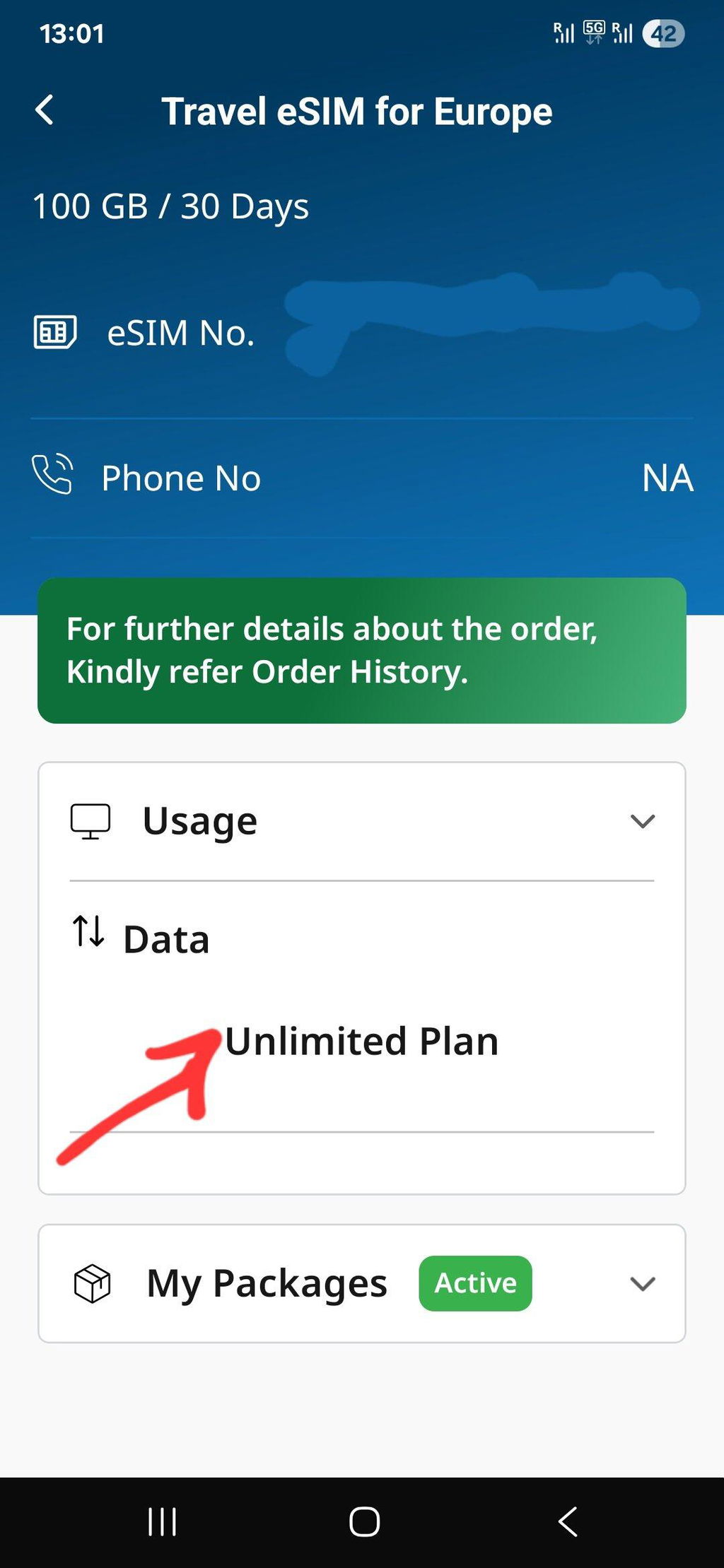
Unlimited Data Plan Speed

Stay connected all day long — get 4 GB of high-speed data every day, then continue browsing unlimited at 1 Mbps. The daily limit refreshes automatically!

Handset Compatibility

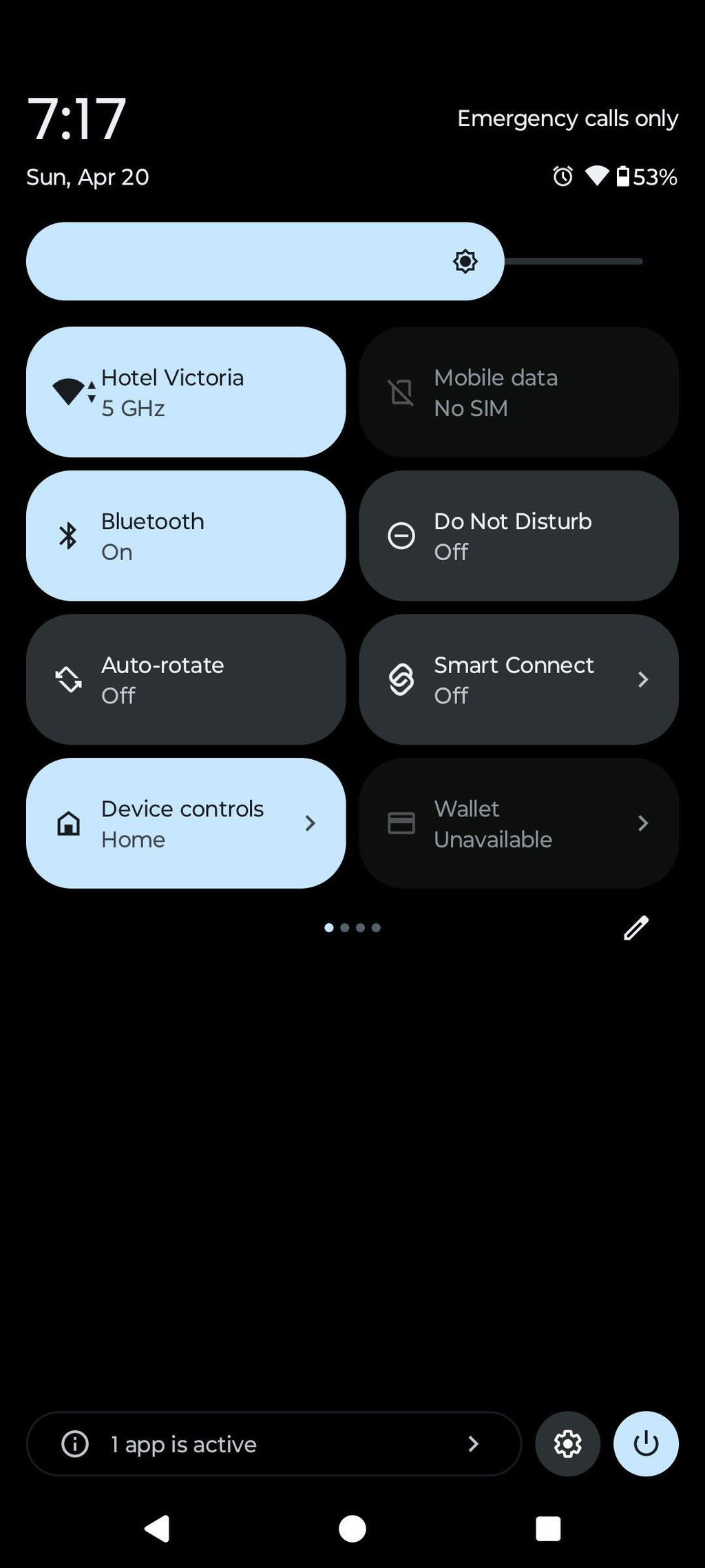
Before purchasing, please ensure your phone supports eSIM. 

💡 Tip: Some carrier-locked or region-specific variants may not support eSIM. Please check your phone’s Settings → About → EID before purchase.

Installation Tips

🌐 Easy eSIM Installation Tips

Follow these quick tips to make sure your eSIM activates instantly and works without issues.

✅ Before Installation
Checklist
Use a stable internet connection. Be on Wi-Fi or another mobile network during installation (activation needs live internet).
Confirm device compatibility & unlock status. Your phone must support eSIM and be unlocked.
Keep your QR email handy. Open it on another device or print it for an easy scan.
Note: Once installed, do not delete the eSIM profile. Re-installation may not be possible.
⚙️ During Installation
  • iPhone: Settings → Mobile/CellularAdd eSIMUse QR Code
  • Android (may vary): Settings → Network & InternetSIMsAdd eSIMScan QR
Scan the QR code received on your email and wait 1–2 minutes for setup to complete. Keep the screen open.
Name the line (e.g., “eTravelSim”) so it’s easy to select later.
No app needed Works on arrival Hotspot as per plan
📶 After Installation
Turn ON data for eTravelSim. Set eTravelSim as the default line for mobile data.
Enable Data Roaming. This is required to connect to our partner networks abroad.
Restart once after activation for faster network registration.
Tip: Use only one data line at a time. If you keep your primary SIM active for calls, ensure data stays on eTravelSim.
🛠️ Quick Troubleshooting
  • No Service? Toggle Airplane Mode ON → OFF or restart the phone.
  • Still offline? Confirm Data ON for eTravelSim and Data Roaming ON.
  • Multiple SIMs? Ensure eTravelSim is selected as the Mobile Data line.
  • Installed but deleted? Contact support—reissue may be required before travel.

Need help? Write to support@etravelsim.com with your order number for priority assistance.

List of Countries Covered
  • Albania
  • Austria
  • Belarus
  • Belgium
  • Bulgaria
  • Croatia
  • Czech Republic
  • Denmark
  • Estonia
  • Finland
  • France
  • Germany
  • Greece
  • Hungary
  • Iceland
  • Ireland
  • Italy
  • Latvia
  • Liechtenstein
  • Lithuania
  • Luxembourg
  • Malta
  • Netherlands
  • Norway
  • Portugal
  • Romania
  • Serbia
  • Slovakia
  • Slovenia
  • Spain
  • Sweden
  • Switzerland
  • Turkey
  • United Kingdom
  • Vatican City
- +

About Europe eSIM

Stay connected effortlessly across Europe with our highly-rated eSIM for Europe. Perfect for today’s traveler or nomads, this European eSIM gives you instant data access without needing a physical Europe SIM Card. Whether you’re wandering through bustling cities or exploring remote villages, this European eSIM keeps you online, even in the UK. Usable with all eSIM Compatible devices, our European eSIM is a great fit for those needing a European SIM card for iPhone. Skip the hassle of finding a physical store and enjoy eSIM Europe unlimited data with ease. For a smooth and reliable connection during your travels, choose the best Europe eSIM against Europe SIM card and unlock unlimited possibilities with just a click.

How to install Travel eSIM for Europe in iPhone ?

Look for Mobile Service

Open your iPhone’s settings and navigate to "Mobile Service" to manage your connections

Go to Add eSIM

Select "Add eSIM" to begin setting up a new eSIM profile

Find QR Code

Retrieve the QR code provided by Etravelsim for activation

Scan QR code

Use your iPhone’s camera to scan the QR code and automatically configure the eSIM

How to Install eSIM in Android phone?

Settings

Open the Settings app and look for "Connections" to manage your network options

Connections

In the "Connections" menu, find and select "SIM Manager."

SIM Manager

Tap on "Add eSIM" to start the eSIM setup process

Add eSIM

Scan the provided QR code to configure and activate your eSIM

Important FAQ

How_does_Travel_eSIM_work

How does Travel eSIM for Europe work?

After purchasing an eTravelsim product, customers will receive a unique QR code via email. This code is provided to the registered email ID used during the purchase. The email will also contain detailed instructions on how to install the product. To begin using the product, scan the QR code.

QR code on email

How will I get the QR code for my purchase?

Once you have booked the eSIM, you can expect to receive the QR code to your registered email ID almost instantly. This will come with a guide for installing the QR code, SMDP address, and activation code. Once the QR code is installed, you are good to go.

How_eTravelSim_s_eSIMs_Benefit_Nomads

How eTravelSim's eSIMs Benefit Nomads?

At eTravelSim, we offer a range of eSIM plans tailored to the needs of digital nomads and frequent travelers. Our eSIM solutions provide reliable and affordable connectivity wherever your adventures take you. With easy online activation and flexible plans, staying connected has never been easier.

Frequently Asked Questions about Travel eSIM for Europe

What is an eSIM?

An eSIM, or embedded Subscriber Identity Module, is a virtual SIM card integrated into devices like smartphones and smartwatches. Unlike physical SIM cards, eSIMs are programmed remotely, enabling easy network switching and activation without needing physical swaps. They offer flexibility for changing carriers and plans, convenient international travel connectivity, and the management of multiple numbers on one device. While not universally supported, eSIM technology reduces the reliance on physical cards and simplifies the user experience by allowing remote provisioning of cellular services.

How do I contact Etravelsim?

Our 24X7 support is available at your service

For online chat, click on the "Chat" button below

Call/Chat with us on our WhatsApp number: +6592361258

Write an e-mail to support@etravelsim.com

How to activate the eSim?

To activate your eSim after purchasing eTravelSim, you will receive a QR code via email. You will need to scan this QR code using your phone's camera to install the eTravelSim onto your device. Once the installation is complete, your eSim should be activated and ready to use.

How do I check my balance?

To check your balance simply click here.

or

- Go to Account Section

- If you are an existing  customer then login else create account with the same email ID from which you had purchased the eSim.

- On the My Account page, you will see a list of all the orders.

- Click the View Balance button against the order number to fetch the balance of your number. 

OR 

Please mail support@etravelsim.com mentioning your order number, and the support team will provide you with the required details.

What is the best eSIM for Europe travel in 2026?

The ETravelSim Europe eSIM covers 35 European countries — including the UK and Switzerland — on a single prepaid plan with unlimited data starting at $4. It runs on multi-network infrastructure (multiple partner carriers per country) and activates instantly via QR code, making it suitable for multi-country itineraries that single-country eSIMs can't serve.

How do I top up my plan?

We provide recharge options directly on our website for your convenience. However, if, for any reason, the recharge options are not available on the website, please don't hesitate to reach out to us for assistance. Simply send us an email at Support@etravelsim.com, including your order number, and we will promptly top up your account. Our customer support team is committed to ensuring continued connectivity and will gladly assist you with any recharge-related queries or concerns.

Do I need to submit any documentation?

No, however, at ETravelSim, we take the security of our customers seriously. To protect our customers from fraudulent activities and maintain a safe shopping environment, we may request additional identity verification for transactions flagged by our payment gateway as suspicious or potentially fraudulent.

If your transaction is marked as such, we kindly ask you to cooperate with our verification process. This may involve asking for valid proof of identity, such as a government-issued ID or passport. Rest assured that all personal information will be handled securely per our privacy policy.

We apologise for any inconvenience this may cause. It is an essential step to ensure the safety and integrity of our services. Thank you for your understanding and cooperation in this regard.

If you have any questions or concerns regarding this process, please don't hesitate to contact our customer support team at support@etravelsim.com.

How to activate esim on iPhone?

To activate an eSIM on an iPhone, follow these general steps. Remember that the exact process might vary slightly depending on your carrier and iOS version. These are the steps you would typically follow:

Check Compatibility: Ensure your carrier supports eSIM activation and your iPhone model is compatible with eSIM technology.

Obtain an eSIM QR Code: Contact your carrier and request an eSIM activation QR code or activation details.

Connect to Wi-Fi or Cellular Data: Ensure your iPhone is connected to Wi-Fi or cellular data, as you'll need an internet connection for the activation process.

Access Settings: Open your iPhone's "Settings" app.

Cellular (or Mobile) > Add Cellular Plan: Navigate to "Cellular" (or "Mobile" in some regions) and tap on "Add Cellular Plan."

Scan the QR Code: If you received a QR code, use your iPhone's camera to scan the QR code provided by your carrier. Enter the necessary information manually if you received activation details without a QR code.
Confirm and Activate: Follow the on-screen instructions to confirm the details and activate the eSIM. You might be asked to restart your iPhone after activation.

You can also check the video

How to buy eSIM in Europe?

You can purchase your eTravelSIM eSIM for Europe online anytime, no matter where you are. Simply visit our Europe eSIM product page, select a plan that fits your needs, and download the eSIM to your device.

Does the unlimited Europe eSIM include the UK?

Yes. The UK is included in the standard Europe eSIM coverage list, alongside 34 other European countries. The same plan also includes Switzerland, which most competitor "EU eSIM" products exclude.

Does the Europe eSIM include Switzerland?

Yes. Switzerland is covered through the Swisscom partner network on the ETravelSim Europe eSIM. This is a notable advantage for travelers heading to Zurich, Geneva, or the Alps, since Switzerland is not an EU member and is excluded by many competing "EU eSIM" plans.

Is the unlimited Europe eSIM really unlimited?

Yes — with a transparent daily speed structure. You get 4 GB per day at full 4G/LTE speed, then unlimited browsing at 1 Mbps for the rest of the day. The 4 GB allowance refreshes every 24 hours, so the data never runs out and there are no overage charges.

What happens after I use 4 GB in a day?

Your speed steps down from full 4G/LTE to a steady 1 Mbps. You can keep using maps, messaging, ride-hailing, email, and basic social media without interruption. The 4 GB high-speed allowance resets automatically every 24 hours.

Can I use hotspot on the unlimited plan?

No. Hotspot and tethering are not enabled on the unlimited Europe eSIM plans, which are designed for single-device use. If you need to share connectivity with another phone or a laptop, choose a fixed-data plan (1 GB through 50 GB) — hotspot is fully supported on all of those.

Can I use hotspot on the fixed-data plans?

Yes. Hotspot and tethering work on every fixed-data plan from 1 GB to 50 GB. This makes the 25 GB or 50 GB plan a strong choice for travelers sharing a connection with a partner or laptop.

How many countries does the Europe eSIM cover?

35 countries, including the United Kingdom and Switzerland. Coverage spans the EU, Schengen zone, and several non-EU European countries on a single prepaid plan with no need to switch SIMs at borders.

Which networks does the Europe eSIM use?

ETravelSim runs on multiple partner networks per country, automatically connecting to the strongest available signal. Examples include Swisscom in Switzerland and major Tier-1 European carriers across the EU. Multi-network coverage delivers stronger signal than single-carrier eSIMs in cross-border, rural, and rail scenarios.

When should I install the Europe eSIM?

Install before you leave home, on a stable Wi-Fi connection. Installation requires an active internet connection, and doing it before arrival is far smoother than activating it abroad. The plan validity does not start until first use in Europe, so installing early costs you nothing.

Does my phone need to be unlocked?

Yes. Your phone must be factory-unlocked and eSIM-capable. Carrier-locked devices may have eSIM disabled even if the global model supports it; check Settings → About → EID before purchase.

Will an iPhone 11 / 12 / 13 / 14 / 15 / 16 / 17 work?

Yes. Every iPhone from XR (2018) onwards supports eSIM, including the entire iPhone 11 through iPhone 17 lineup. Add the Europe eSIM as a secondary line and keep your home SIM active for calls and OTPs.

Can I keep my normal phone number active at the same time?

Yes. Modern phones support dual-SIM (eSIM + physical SIM). Keep calls, SMS, banking OTPs, and iMessage on your home number while the ETravelSim eSIM handles all data while you're abroad.

How long does QR delivery take?

The QR code is sent to your registered email immediately after purchase, typically within 60 seconds. The email also includes the SM-DP+ activation address as a manual fallback if the QR scan fails.

What if my eSIM doesn't work?

ETravelSim offers 24/7 customer support and works with you to resolve any installation or connectivity issue. If your device turns out to be incompatible, contact support for a refund within the policy window.

Can I get a UK phone number with the Europe eSIM?

Yes. Selected Europe eSIM plans include a UK-based +44 mobile number with real cellular voice calling (not VoIP). Free incoming calls are included on these plans. Data-only plans do not include a number.
You may check from the list of compatible handsets for Travel eSIM for Europe

Apple logo for list of handsets

Apple

iPhone 17, iPhone 17 Air, iPhone 17 Pro, iPhone 17 Pro Max, iPhone 16, iPhone 16 Plus, iPhone 16 Pro, iPhone 16 Pro Max, iPhone 15, iPhone 15 Plus, iPhone 15 Pro, iPhone 15 Pro Max, iPhone 14, iPhone 14 Plus, iPhone 14 Pro, iPhone 14 Pro Max, iPhone 13, iPhone 13 mini, iPhone 13 Pro, iPhone 13 Pro Max, iPhone 12, iPhone 12 mini, iPhone 12 Pro, iPhone 12 Pro Max, iPhone 11 Dual SIM (nano-SIM and eSIM), iPhone 11 Pro, iPhone 11 Pro Max, iPhone XR, iPhone XS, iPhone XS Max, iPhone SE (2020)

Note: iPhone 11 is not compatible with existing micro-SIM cards.

android-logo for handset device

Android

Google Pixel Google Pixel 10 Pro Fold, Google Pixel 10 Pro XL, Google Pixel 10 Pro, Google Pixel 10, Google Pixel 9a, Google Pixel 9 Pro Fold, Google Pixel 9 Pro XL, Google Pixel 9 Pro, Google Pixel 9, Google Pixel 8a, Google Pixel 8 Pro, Google Pixel 8, Google Pixel 7a, Google Pixel 7 Pro, Google Pixel 7, Google Pixel 6a, Google Pixel 6 Pro, Google Pixel 6, Google Pixel Fold, Google Pixel 5a, Google Pixel 5, Google Pixel 4a 5G, Google Pixel 4a, Google Pixel 4 XL, Google Pixel 4, Google Pixel 3a XL, Google Pixel 3a, Google Pixel 3 XL, Google Pixel 3, Google Pixel 2 XL, Google Pixel 2

Samsung Galaxy S series Samsung Galaxy S25 Edge, Samsung Galaxy S25 Ultra, Samsung Galaxy S25+, Samsung Galaxy S25, Samsung Galaxy S24 FE, Samsung Galaxy S24 Ultra, Samsung Galaxy S24+, Samsung Galaxy S24, Samsung Galaxy S23 FE, Samsung Galaxy S23 Ultra, Samsung Galaxy S23+, Samsung Galaxy S23, Samsung Galaxy S22 Ultra, Samsung Galaxy S22+, Samsung Galaxy S22, Samsung Galaxy S21 Ultra 5G, Samsung Galaxy S21+ 5G, Samsung Galaxy S21 5G, Samsung Galaxy S20 Ultra 5G, Samsung Galaxy S20 Ultra, Samsung Galaxy S20+ 5G, Samsung Galaxy S20+, Samsung Galaxy S20 5G, Samsung Galaxy S20

Samsung Galaxy Z series Samsung Galaxy Z Fold7, Samsung Galaxy Z Fold6, Samsung Galaxy Z Fold5, Samsung Galaxy Z Fold4, Samsung Galaxy Z Fold3 5G, Samsung Galaxy Z Fold2 5G, Samsung Galaxy Z Flip7, Samsung Galaxy Z Flip6, Samsung Galaxy Z Flip5, Samsung Galaxy Z Flip4, Samsung Galaxy Z Flip3 5G, Samsung Galaxy Z Flip 5G, Samsung Galaxy Z Flip

Samsung Galaxy Note series Samsung Galaxy Note20 Ultra 5G, Samsung Galaxy Note20 Ultra, Samsung Galaxy Note20 5G, Samsung Galaxy Note20

Samsung Galaxy A series Samsung Galaxy A55 5G, Samsung Galaxy A54 5G, Samsung Galaxy A35 5G

Huawei Huawei P40 Pro, Huawei P40

Motorola Motorola Moto G Stylus 5G (2024), Motorola Moto G Power (2024), Motorola Moto G85, Motorola Moto G84, Motorola Moto G54 5G, Motorola Edge 50 Ultra, Motorola Edge 50 Pro, Motorola Edge 50 Neo, Motorola Edge 50 Fusion, Motorola Edge 50, Motorola Edge 40 Pro, Motorola Edge 40 Neo, Motorola Edge 40, Motorola Edge+ (2023), Motorola Edge (2024), Motorola Edge (2023), Motorola Edge (2022), Motorola Razr 50 Ultra, Motorola Razr 50, Motorola Razr+ 2024, Motorola Razr 2024, Motorola Razr 40 Ultra, Motorola Razr 40, Motorola Razr 2022, Motorola Razr 5G, Motorola Razr 2019

OnePlus OnePlus 13, OnePlus 13R, OnePlus 12, OnePlus 11, OnePlus Open

Other Nokia XR21, Nokia X30, Nokia G60, Gemini PDA

Note: Samsung devices purchased in China, Hong Kong, Taiwan, or South Korea (except S23, Z Fold4/Flip4 and newer) typically do not support eSIM. Galaxy FE models are not eSIM compatible except S23 FE, S24 FE and S25 FE.

Our 24/7 support is available at your service

Chat_Support

Chat

For online chat, click on the "Chat" button below

WhatsApp_Support

WhatsApp Chat

Call/Chat with us on our WhatsApp number: +6592361258

email support

Email

Write an e-mail to support@etravelsim.com