eSIM de viagem à Europa

€19,95 EUR €22,95
Dados
Atas locais

O eSIM Europa oferece-lhe:

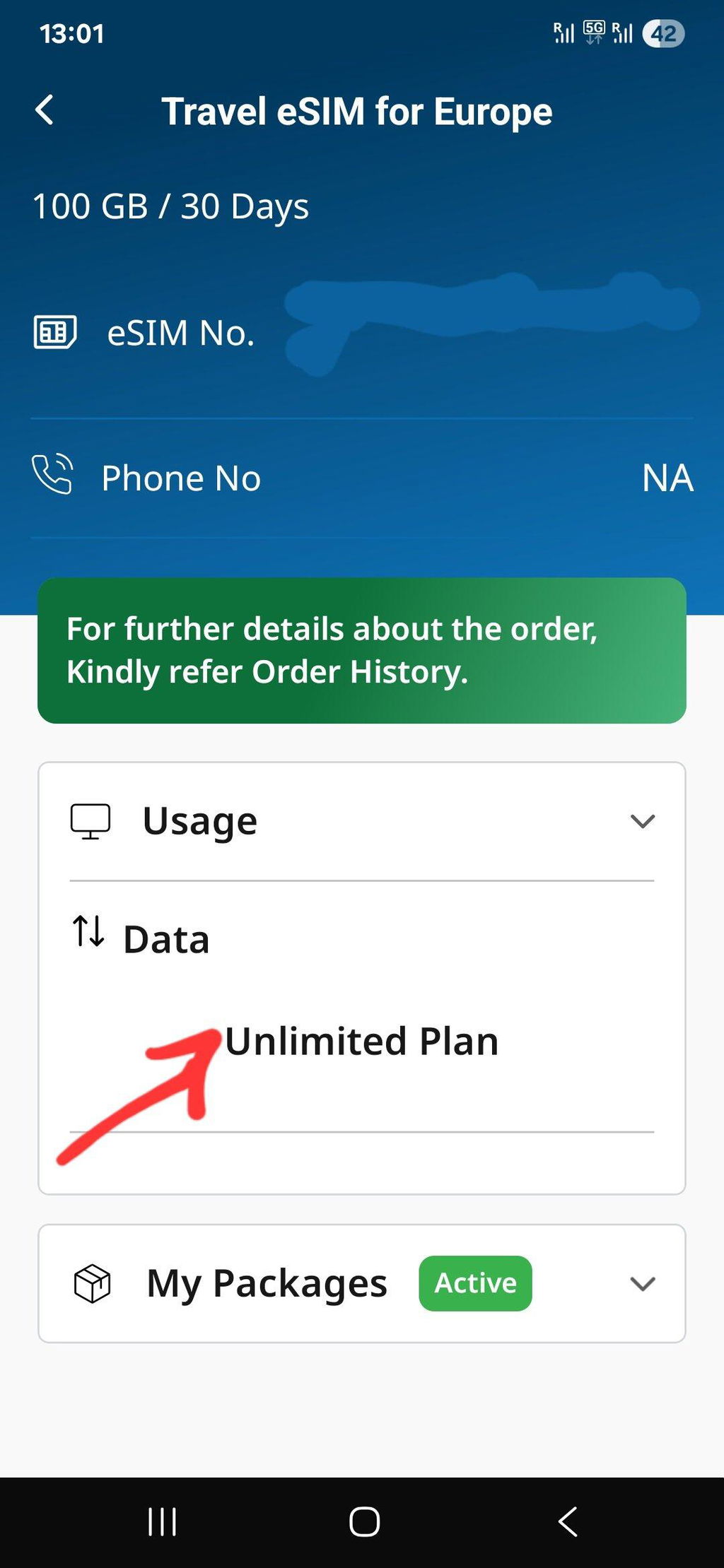
  • Franquia de dados: 1 GB, 2 GB, 3 GB, 5 GB, 10 GB, 25 GB, 50 GB para dados ilimitados
  • Prazo de validade: 5 dias, 7 dias, 14 dias a 30 dias
  • Formulário SIM: eSIM
  • Velocidade de dados: 4G/5G/LTE
  • Tethering/Hotspot: permitido em planos de dados limitados, não permitido em planos de dados ilimitados
  • Países abrangidos: Consulte a lista de países abaixo
  • Rede celular: Vodafone, Three, Telenor, SFR, Swisscom, Telia, A1 etc.
  • Tipo de plano móvel: pré-pago
  • Chamadas recebidas: recebidas gratuitas (não disponíveis nos planos apenas de dados)
  • Número de telemóvel: Número de telemóvel do Reino Unido (+44) (sem número de telemóvel em planos apenas de dados)
  • Tempo de conversação livre: de acordo com o plano escolhido
  • Ativação do eSIM: Automática após a instalação
  • Processo de instalação: automático através da leitura do código QR ou através da inserção manual do endereço SMDP juntamente com o código de ativação
  • Entrega do eSIM: Instantânea, pois é entregue no e-mail
  • Requisitos de documentação: Não é necessária documentação
  • Compatibilidade de dispositivos: todos os smartphones compatíveis com eSIM
  • Política de utilização justa: O nosso plano eSIM fornece dados ilimitados durante o período acordado. No entanto, o fornecedor de rede pode exercer a sua prerrogativa de implementar uma Política de Utilização Justa para garantir o desempenho ideal da rede para todos os utilizadores.

Só precisa de um telemóvel compatível com eSIM. Para comprar o eSIM, complete a transação aqui e um código QR do eSIM ser-lhe-á enviado por e-mail imediatamente com instruções para instalar no seu telefone.

Após a instalação, pode começar a utilizar imediatamente os dados eSIM no seu país de destino. A validade do eSIM terá início no dia em que ativar o seu eSIM.
Send feedback

Unlimited Data Plan Speed

Stay connected all day long — get 4 GB of high-speed data every day, then continue browsing unlimited at 1 Mbps. The daily limit refreshes automatically!

Handset Compatibility

Compatibilidade do dispositivo


Tem duas opções para determinar se o seu telefone é compatível com o nosso produto. Pode consultar a lista de dispositivos compatíveis fornecida abaixo ou seguir o processo passo a passo aqui descrito para verificar a compatibilidade do seu dispositivo.

Clique aqui para verificar a compatibilidade do dispositivo.

Lista de dispositivos compatíveis com iOS

Lista de dispositivos compatíveis com Android

Lista de outros dispositivos compatíveis

Installation Tips

🌐 Easy eSIM Installation Tips

Follow these quick tips to make sure your eSIM activates instantly and works without issues.

✅ Before Installation
Checklist
Use a stable internet connection. Be on Wi-Fi or another mobile network during installation (activation needs live internet).
Confirm device compatibility & unlock status. Your phone must support eSIM and be unlocked.
Keep your QR email handy. Open it on another device or print it for an easy scan.
Note: Once installed, do not delete the eSIM profile. Re-installation may not be possible.
⚙️ During Installation
  • iPhone: Settings → Mobile/CellularAdd eSIMUse QR Code
  • Android (may vary): Settings → Network & InternetSIMsAdd eSIMScan QR
Scan the QR code received on your email and wait 1–2 minutes for setup to complete. Keep the screen open.
Name the line (e.g., “eTravelSim”) so it’s easy to select later.
No app needed Works on arrival Hotspot as per plan
📶 After Installation
Turn ON data for eTravelSim. Set eTravelSim as the default line for mobile data.
Enable Data Roaming. This is required to connect to our partner networks abroad.
Restart once after activation for faster network registration.
Tip: Use only one data line at a time. If you keep your primary SIM active for calls, ensure data stays on eTravelSim.
🛠️ Quick Troubleshooting
  • No Service? Toggle Airplane Mode ON → OFF or restart the phone.
  • Still offline? Confirm Data ON for eTravelSim and Data Roaming ON.
  • Multiple SIMs? Ensure eTravelSim is selected as the Mobile Data line.
  • Installed but deleted? Contact support—reissue may be required before travel.

Need help? Write to support@etravelsim.com with your order number for priority assistance.

List of Countries Covered
  • Albania
  • Austria
  • Belarus
  • Belgium
  • Bulgaria
  • Croatia
  • Czech Republic
  • Denmark
  • Estonia
  • France
  • Finland
  • Germany
  • Greece
  • Hungary
  • Iceland
  • Ireland
  • Italy
  • Latvia
  • Liechtenstein
  • Lithuania
  • Luxembourg
  • Netherlands
  • Malta
  • Norway
  • Portugal
  • Romania
  • Serbia
  • Slovakia
  • Slovenia
  • Spain
  • Sweden
  • Switzerland
  • Turkey
  • United Kingdom
  • Vatican City
  • Europe
- +

ETravelSim vs Other Providers

How we stack up — at a glance.

Feature ETravelSim Provider X Provider Y Provider Z
Switzerland included mixed
UK +44 cellular number VoIP only
4 GB/day full LTE on unlimited varies varies n/a
Hotspot on fixed data limited
Entry price $4.00 $4.50 $19.50 $5.50

How to install eSIM de viagem à Europa in iPhone ?

Look for Mobile Service

Open your iPhone’s settings and navigate to "Mobile Service" to manage your connections

Go to Add eSIM

Select "Add eSIM" to begin setting up a new eSIM profile

Find QR Code

Retrieve the QR code provided by ETravelSim for activation

Scan QR code

Use your iPhone’s camera to scan the QR code and automatically configure the eSIM

How to Install eSIM in Android phone?

Settings

Open the Settings app and look for "Connections" to manage your network options

Connections

In the "Connections" menu, find and select "SIM Manager."

SIM Manager

Tap on "Add eSIM" to start the eSIM setup process

Add eSIM

Scan the provided QR code to configure and activate your eSIM

Important FAQ

How_does_Travel_eSIM_work

How does eSIM de viagem à Europa work?

After purchasing an ETravelSim product, customers will receive a unique QR code via email. This code is provided to the registered email ID used during the purchase. The email will also contain detailed instructions on how to install the product. To begin using the product, scan the QR code.

QR code on email

How will I get the QR code for my purchase?

Once you have booked the eSIM, you can expect to receive the QR code to your registered email ID almost instantly. This will come with a guide for installing the QR code, SMDP address, and activation code. Once the QR code is installed, you are good to go.

How_eTravelSim_s_eSIMs_Benefit_Nomads

How ETravelSim's eSIMs Benefit Nomads?

At ETravelSim, we offer a range of eSIM plans tailored to the needs of digital nomads and frequent travelers. Our eSIM solutions provide reliable and affordable connectivity wherever your adventures take you. With easy online activation and flexible plans, staying connected has never been easier.

FAQs for eSIM de viagem à Europa

What is an eSIM?

An eSIM, or embedded Subscriber Identity Module, is a virtual SIM card integrated into devices like smartphones and smartwatches. Unlike physical SIM cards, eSIMs are programmed remotely, enabling easy network switching and activation without needing physical swaps. They offer flexibility for changing carriers and plans, convenient international travel connectivity, and the management of multiple numbers on one device. While not universally supported, eSIM technology reduces the reliance on physical cards and simplifies the user experience by allowing remote provisioning of cellular services.

Como contacto a Etravelsim?

O nosso suporte 24 horas por dia, 7 dias por semana, está disponível para o servir.

Para conversar online, clique no botão "Chat" abaixo.

Ligue/Contacte-nos para o nosso número de WhatsApp: +6592361258

Escreva um e-mail para support@etravelsim.com

Como ativar o eSim?

Para ativar o seu eSim após adquirir o eTravelSim, receberá um código QR por e-mail. Terá de digitalizar este código QR utilizando a câmara do seu telefone para instalar o eTravelSim no seu dispositivo. Assim que a instalação estiver concluída, o seu eSim deverá estar ativado e pronto a utilizar.

Como posso consultar o meu saldo?

Para verificar o seu saldo, basta clicar aqui.

ou-

Vá para a secção Conta.

- Se já for cliente, inicie sessão, caso contrário, crie uma conta com o mesmo ID de e-mail com o qual comprou o eSim.

- Na página A minha conta, verá uma lista de todos os pedidos.

- Clique no botão Ver saldo junto ao número do pedido para obter o saldo do seu número.

OU

envie um e-mail para support@etravelsim.com mencionando o número do seu pedido e a equipa de suporte fornecerá os detalhes necessários.

What is the best eSIM for Europe travel in 2026?

The ETravelSim Europe eSIM covers 35 European countries — including the UK and Switzerland — on a single prepaid plan with unlimited data starting at $4. It runs on multi-network infrastructure (multiple partner carriers per country) and activates instantly via QR code, making it suitable for multi-country itineraries that single-country eSIMs can't serve.

Como faço para recarregar o meu plano?

Oferecemos opções de carregamento diretamente no nosso site para sua conveniência. No entanto, se, por algum motivo, as opções de recarga não estiverem disponíveis no site, não hesite em contactar-nos para obter assistência. Basta enviar-nos um e-mail para Support@etravelsim.com, incluindo o número da sua encomenda, e nós recarregaremos a sua conta imediatamente. A nossa equipa de suporte ao cliente está empenhada em garantir uma conectividade contínua e terá todo o gosto em ajudá-lo com quaisquer dúvidas ou preocupações relacionadas com a recarga.

Preciso de enviar alguma documentação?

Não, no entanto, na ETravelSim levamos a segurança dos nossos clientes a sério. Para proteger os nossos clientes de atividades fraudulentas e manter um ambiente de compras seguro, podemos solicitar uma verificação de identidade adicional para transações sinalizadas pelo nosso gateway de pagamento como suspeitas ou potencialmente fraudulentas.

Se a sua transação estiver marcada como tal, pedimos-lhe gentilmente que coopere com o nosso processo de verificação. Isto pode envolver a solicitação de uma prova de identidade válida, como um documento de identidade emitido pelo governo ou um passaporte. Tenha a certeza de que todas as informações pessoais serão tratadas de forma segura, de acordo com a nossa política de privacidade.

Pedimos desculpa por qualquer inconveniente que isto possa causar. É um passo essencial para garantir a segurança e a integridade dos nossos serviços. Agradecemos a sua compreensão e cooperação neste sentido.

Caso tenha alguma dúvida ou preocupação sobre este processo, não hesite em contactar a nossa equipa de apoio ao cliente através do e-mail support@etravelsim.com.

Como ativar o esim no iPhone?

Para ativar um eSIM num iPhone, siga estes passos gerais. Lembre-se que o processo exato pode variar ligeiramente dependendo da sua operadora e da versão do iOS. Estes são os passos que normalmente seguiria:

Verificar a compatibilidade: certifique-se de que a sua operadora suporta a ativação do eSIM e que o seu modelo de iPhone é compatível com a tecnologia eSIM.

Obter um código QR do eSIM: contacte a sua operadora e solicite um código QR de ativação do eSIM ou detalhes de ativação.

Ligar ao Wi-Fi ou aos dados celulares: certifique-se de que o seu iPhone está ligado ao Wi-Fi ou aos dados celulares, pois necessitará de uma ligação à internet para o processo de ativação.

Aceder às Definições: abra a aplicação "Definições" do seu iPhone.

Telemóvel (ou Móvel) > Adicionar Plano de Telemóvel: navegue até "Telemóvel" (ou "Telemóvel" em algumas regiões) e toque em "Adicionar Plano de Telemóvel".

Escaneie o código QR: se recebeu um código QR, utilize a câmara do seu iPhone para digitalizar o código QR fornecido pela sua operadora. Introduza as informações necessárias manualmente se tiver recebido os detalhes de ativação sem um código QR.

Confirmar e ativar: siga as instruções no ecrã para confirmar os detalhes e ativar o eSIM. Poderá ser solicitado a reiniciar o iPhone após a ativação.

Também pode verificar o vídeo

Como comprar eSIM na Europa?

Pode comprar o seu eTravelSIM eSIM para a Europa online a qualquer hora, independentemente de onde se encontra. Basta visitar a nossa página de produtos eSIM na Europa, selecionar um plano que se adapte às suas necessidades e descarregar o eSIM para o seu dispositivo.

Does the unlimited Europe eSIM include the UK?

Yes. The UK is included in the standard Europe eSIM coverage list, alongside 34 other European countries. The same plan also includes Switzerland, which most competitor "EU eSIM" products exclude.

Does the Europe eSIM include Switzerland?

Yes. Switzerland is covered through the Swisscom partner network on the ETravelSim Europe eSIM. This is a notable advantage for travelers heading to Zurich, Geneva, or the Alps, since Switzerland is not an EU member and is excluded by many competing "EU eSIM" plans.

Is the unlimited Europe eSIM really unlimited?

Yes — with a transparent daily speed structure. You get 4 GB per day at full 4G/LTE speed, then unlimited browsing at 1 Mbps for the rest of the day. The 4 GB allowance refreshes every 24 hours, so the data never runs out and there are no overage charges.

What happens after I use 4 GB in a day?

Your speed steps down from full 4G/LTE to a steady 1 Mbps. You can keep using maps, messaging, ride-hailing, email, and basic social media without interruption. The 4 GB high-speed allowance resets automatically every 24 hours.

Can I use hotspot on the unlimited plan?

No. Hotspot and tethering are not enabled on the unlimited Europe eSIM plans, which are designed for single-device use. If you need to share connectivity with another phone or a laptop, choose a fixed-data plan (1 GB through 50 GB) — hotspot is fully supported on all of those.

Can I use hotspot on the fixed-data plans?

Yes. Hotspot and tethering work on every fixed-data plan from 1 GB to 50 GB. This makes the 25 GB or 50 GB plan a strong choice for travelers sharing a connection with a partner or laptop.

How many countries does the Europe eSIM cover?

35 countries, including the United Kingdom and Switzerland. Coverage spans the EU, Schengen zone, and several non-EU European countries on a single prepaid plan with no need to switch SIMs at borders.

Which networks does the Europe eSIM use?

ETravelSim runs on multiple partner networks per country, automatically connecting to the strongest available signal. Examples include Swisscom in Switzerland and major Tier-1 European carriers across the EU. Multi-network coverage delivers stronger signal than single-carrier eSIMs in cross-border, rural, and rail scenarios.

When should I install the Europe eSIM?

Install before you leave home, on a stable Wi-Fi connection. Installation requires an active internet connection, and doing it before arrival is far smoother than activating it abroad. The plan validity does not start until first use in Europe, so installing early costs you nothing.

Does my phone need to be unlocked?

Yes. Your phone must be factory-unlocked and eSIM-capable. Carrier-locked devices may have eSIM disabled even if the global model supports it; check Settings → About → EID before purchase.

Will an iPhone 11 / 12 / 13 / 14 / 15 / 16 / 17 work?

Yes. Every iPhone from XR (2018) onwards supports eSIM, including the entire iPhone 11 through iPhone 17 lineup. Add the Europe eSIM as a secondary line and keep your home SIM active for calls and OTPs.

Can I keep my normal phone number active at the same time?

Yes. Modern phones support dual-SIM (eSIM + physical SIM). Keep calls, SMS, banking OTPs, and iMessage on your home number while the ETravelSim eSIM handles all data while you're abroad.

How long does QR delivery take?

The QR code is sent to your registered email immediately after purchase, typically within 60 seconds. The email also includes the SM-DP+ activation address as a manual fallback if the QR scan fails.

What if my eSIM doesn't work?

ETravelSim offers 24/7 customer support and works with you to resolve any installation or connectivity issue. If your device turns out to be incompatible, contact support for a refund within the policy window.

Can I get a UK phone number with the Europe eSIM?

Yes. Selected Europe eSIM plans include a UK-based +44 mobile number with real cellular voice calling (not VoIP). Free incoming calls are included on these plans. Data-only plans do not include a number.

Compatible Devices

Select your phone brand to check if your device supports eSIM.

Apple

iPhone 17
iPhone 17 Air
iPhone 17 Pro
iPhone 17 Pro Max
iPhone 16
iPhone 16 Plus
iPhone 16 Pro
iPhone 16 Pro Max
iPhone 15
iPhone 15 Plus
iPhone 15 Pro
iPhone 15 Pro Max
iPhone 14
iPhone 14 Plus
iPhone 14 Pro
iPhone 14 Pro Max
iPhone 13
iPhone 13 mini
iPhone 13 Pro
iPhone 13 Pro Max
iPhone 12
iPhone 12 mini
iPhone 12 Pro
iPhone 12 Pro Max
iPhone 11 Dual SIM (nano-SIM and eSIM)
iPhone 11 Pro
iPhone 11 Pro Max
iPhone XR
iPhone XS
iPhone XS Max
iPhone SE (2020)
No matching device found.

eSIM compatibility may vary by country, carrier, and device variant. Please confirm your exact model before purchase.

Our 24/7 support is available at your service

Chat_Support

Chat

For online chat, click on the "Chat" button below

WhatsApp_Support

WhatsApp Chat

Call/Chat with us on our WhatsApp number: +6592361258

email support

Email

Write an e-mail to support@etravelsim.com